
Backlog
Issues, projects and decisions
Plan work with issues, boards, cycles, projects, customers and a decision log.
 Polder
Beta
Issues, documents, chat, workflows, mailings, incidents, calendar and assets. Eight apps that work as one product, built and hosted in the Netherlands.
Polder is in beta. We approve new accounts by hand, so it may take a while before you can get in.
You choose per workspace which apps your team uses. They share one login and the same people.
Issues, projects and decisions
Plan work with issues, boards, cycles, projects, customers and a decision log.

Documents and databases
Write pages, build databases and keep knowledge where your team finds it.

Channels and messages
Talk with your team, share files and link straight to issues and pages.

Workflows and automation
Let routine work run itself with workflows that tie all the apps together.

Mailings to customers
Compose mailings, pick segments and send them from your own workspace.

Incidents and status pages
Report, track and resolve outages, with on-call and a status page of your own.

Calendar and planning
See issues, appointments and external calendars together and plan work on a day.

A register of what you manage
Keep track of what your team manages and owns, with types and fields you define.
An issue, a page and a chat message can link to each other, and you see the link on both ends. Someone who may not see an issue does not see its card in chat either.
Paste an issue in chat and see its status, priority and who is on it right away.
Mention an issue on a page and the issue shows where it was mentioned.
Issues, pages and messages in one search box, with access checked per reader.
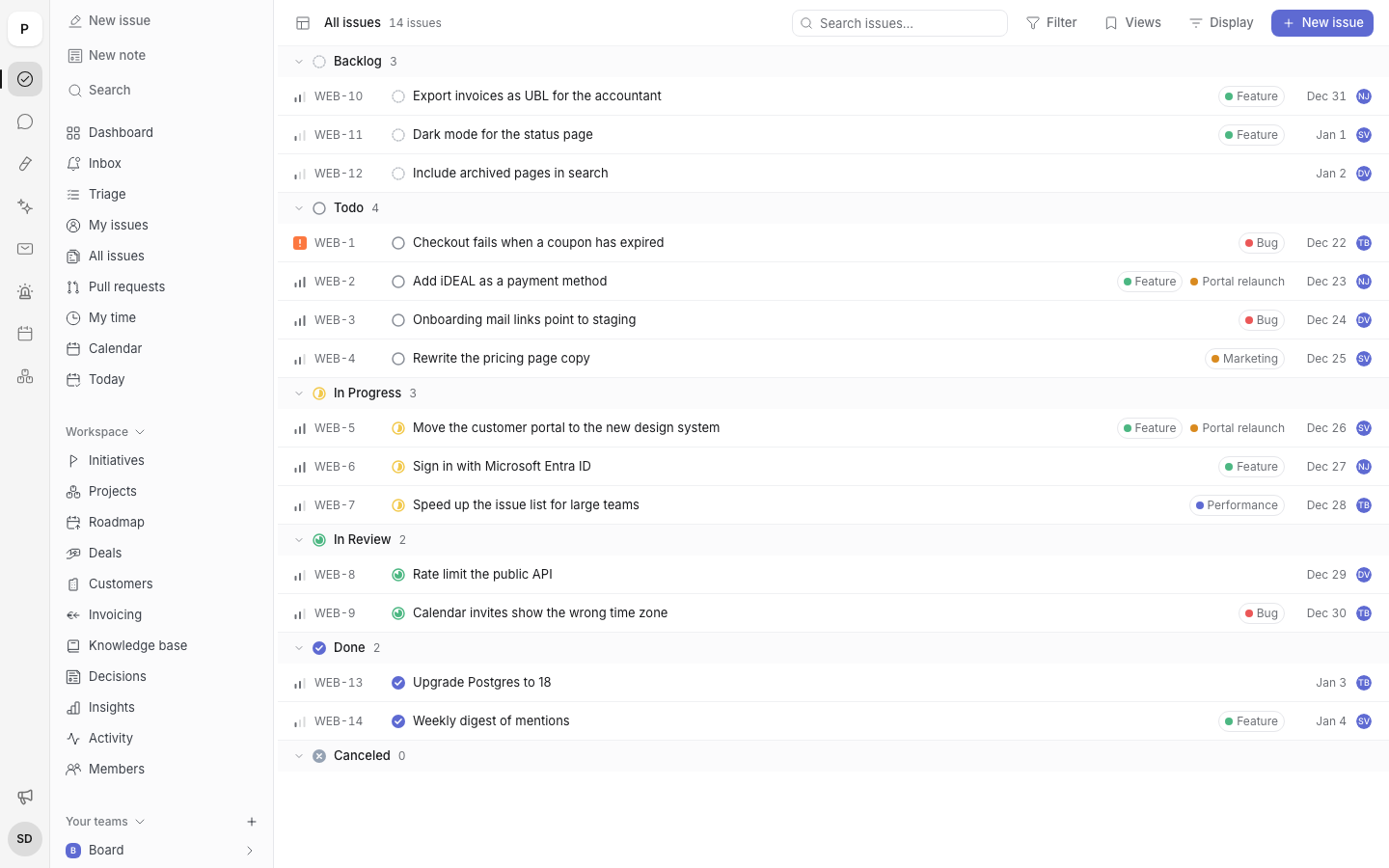
A team's issue list, grouped by status. This is the app itself, not a mockup.
Backlog, Docs and Chat each have an HTTP API. A key can do exactly what the person who made it can do, and never more.
# who am I?
curl https://backlog.polder.work/api/v1/me \
  -H "Authorization: Bearer $POLDER_TOKEN"

# Polder in Claude Code
claude mcp add --transport http polder \
https://mcp.polder.work/mcpWe build Polder in the Netherlands and run it there too. You do not have to find out which country your data ends up in.
Polder is in beta. You create an account and we approve it by hand. That can take a while.
On servers in the Netherlands. That goes for the database, files and backups.
No. An administrator chooses per workspace which apps the team uses.
That is not settled yet. While Polder is in beta, we are not announcing prices.
Yes, with the REST API, webhooks or the MCP server. The documentation explains how.
Polder is in beta. Create an account and we will approve it by hand.
Sign in to Polder